Showing posts with label Web Search. Show all posts

Friday, April 15, 2011

Google Quick Scroll Integrates with Instant Previews

If you use Quick Scroll for Chrome or Google Toolbar, Google highlights the sections of the page that are the most relevant to your query. That means you can click on a search result and quickly find the best matches.

Google Quick Scroll now integrates with Instant Previews, so you can click on a highlight from Google's screenshot to be magically taken to that part of the page. It's a lot faster to find what you're looking for, especially if you have to scroll to the bottom of the page.


Google's previews are now available for Microsoft Office documents and presentations. There's also support for Flash, so you'll no longer see a puzzle piece image instead of a Flash object.

{ via Google Blog }

Tuesday, April 12, 2011

A Google a Day

Google launched a site that shows a puzzle which can be solved using Google Search. "A Google a Day is a new daily puzzle that can be solved using your creativity and clever search skills on Google. Questions will be posted every day on agoogleaday.com and printed on weekdays above the New York Times crossword puzzle," informs Google's blog. Some may say it's just a way to increase Google's market share in the US, now that Bing is increasingly popular. Microsoft also used games to attract more users, so it's not a new idea. Unlike Microsoft's Club Bing, there's no monetary incentive to solve Google's puzzles.


"A Google a Day" was created by Daniel Russell, a Googler who has a great blog about web search. "For the past several years I've been trying to put together some kind of game that would engage people in a playful way to learn how to search. After many trials, we FINALLY got one version of the Search Game out into the world! AGoogleADay.com is a simple game that poses a daily search puzzle for you to solve. The game starts today (Monday April 11, 2011) and will run for the next four weeks with each day's puzzle getting harder from Monday through Friday. The secret agenda here is to get people to play around with search and to learn all they can do. I've felt for a while like Goggle gives people intergalactic hyperdrive starship capabilities, but most people only explore the shallows by paddling around with their shuttlecraft," notes Daniel.

The most interesting thing about Google's new site is that it uses an index called Deja Google which leaves out recent web pages. "To keep the game interesting for everyone, we created Deja Google – a wormhole inspired time machine that searches the Internet as it existed before the game began. Because nobody wants someone's recent blog post about finding an answer spoiling their fun."

Until Deja Google becomes a standalone service, you can use agoogleaday.com to remove recent pages from the results and to search Google's index from April 5. You can also bookmark this URL: http://www.google.com/webhp?esrch=Agad::Public&nord=1.

Saturday, April 9, 2011

The Brilliant Bing for iPad

Microsoft has recently released an iPad app for Bing that's really impressive. "Bing for iPad goes beyond the traditional search experience, offering a unique and visually rich way to search the Web. The app is designed from the ground up for touch. You can quickly browse news, movies, Bing homepage images, local business listings and much more – all with the swipe of your finger," informs Bing's blog.

Bing for iPad transforms a bland search engine into a visual application that lets you interact with information. The app is fluid, the integration of all the specialized search engines is almost seamless and there are a lot of small features that make your life easier. For example, you can quickly highlight matches, go to the next image result using gestures and go back to the list of search results using a back swipe.


Unfortunately, Bing's results aren't always great, but they've improved a lot lately. Voice search didn't work well for me and there's no visual search.

Google doesn't have a search app developed specifically for iPad, but there's a universal app for iPhone and iPad that adds features like voice search and visual search to the standard Web interface. The latest version of the app added two gestures that enhance the interface, but many users complain that they slow down the app. While Google's results are still better, Google has a long way to go to catch up when it comes to the user interface.

Friday, April 8, 2011

Google Tests a Search Option for Definitions

Google experiments with a search option that lets you find the definition of a word without using the define: operator or adding "definition" to the query. Selecting the "dictionary" option from the sidebar doesn't restrict the results to sites like Dictionary.com and Answers.com, but shows the information that's available in Google Dictionary. To be fair, Google includes a section called "web definitions" that shows definitions from Wikipedia, WordNet and from different glossaries.


This feature is not yet available to everyone, but you can always install extensions like Google Dictionary for Chrome, Google Dictionary and Google Translate for Firefox or add Google Dictionary to your browser's search engines.

Reading Levels in Google's Sidebar

Google's search options sidebar includes a feature that was only available in the advanced search page: filtering results by reading level. If you enable this feature, Google will classify search results based on the complexity of the text. You can restrict the results to "basic" pages, "intermediate" pages and "advanced" pages, which are mostly scholarly articles.

"Sometimes you may want to limit your search results to a specific reading level. For instance, a junior high school teacher looking for content for her students or a second-language learner might want web pages written at a basic reading level. A scientist searching for the latest findings from the experts may want to limit results to those at advanced reading levels," explains Google.

Wednesday, April 6, 2011

Google's Tilted Easter Egg

If you search for [tilt], [tilted] or [askew] on a smartphone using Google, you might notice a strange special effect: Google's search results page is tilted to the right. It's an Easter Egg, just like the "did you mean" link displayed when you search for [recursion].


{ via Search Engine Land }

Thursday, March 31, 2011

More Google Social Search Results

When Social Search was released, Google displayed a small OneBox at the bottom of the first search results page that included relevant pages shared by your friends. A few weeks ago, Google started to show social search results anywhere on the page.

If that wasn't enough, Google added huge lists of social search results at the bottom of the second, third and fourth page of results. After the ten regular results, Google shows other ten results from your social circle. Sometimes Google's social results are useful, but that's not always the case. For example, a search for [Firefox 4] returns many outdated pages about Firefox.


It's interesting to notice that social search results need more space than the regular results:

Wednesday, March 30, 2011

Google +1

Google +1 is yet another attempt to make Google more social. It's Google's version of the Facebook "likes", a simple feature that's very powerful because it's part of a social network.

Google will show +1 buttons next to all search results and ads, while encouraging other sites to include the buttons. All +1's are public and they're tied to Google Profiles. The goal is to use this data to personalize search results and ads by recommending sites +1'd by your friends. Google Social Search already does this, but there's no support for Facebook likes, so Google had to come up with a substitute.

"+1 is the digital shorthand for 'this is pretty cool.' To recommend something, all you have to do is click +1 on a webpage or ad you find useful. These +1's will then start appearing in Google's search results," explains Google.


This feature is slowly rolled out to Google.com, but you can try it by enabling the +1 search experiment.


One thing is clear: Google won't have to translate "+1" when it will localize the service, but it will have a hard time translating "+1's", "+1'd" and other cryptic constructs. Google +1's URLs already look weird (here's the homepage: http://www.google.com/+1).

Your +1's are listed in a profile tab, where you can manage them. There's also a page that lets you disable personalizing Google ads using +1's and other information from your Google profile.

Google now has the most important pieces of a social network (profiles, activity stream, likes, apps), but there's still no social network, no magic "glue" that connects the existing pieces. As Danny Sullivan explains, the "+1 social network" is made up of your Google Talk friends, the people from Gmail's "My contacts" group and the people you follow in Google Reader and Google Buzz, but you'll soon be able to connect other services like Twitter and Flickr. It's actually a meta social network, an artificial service that won't have too many enthusiastic users, just like Friend Connect.

Tuesday, March 29, 2011

Google Talk Guru

Google Talk Guru is a new Google bot that lets you ask simple questions. It's "an experimental service that allows people to get information like sports results, weather forecasts, definitions etc via chat. It works on many popular chat applications that support Google Talk."

Send an invitation to guru@googlelabs.com in Gmail Chat, Google Talk or any other Jabber client and find simple facts like "weather in London", "amplitude definition", "translate souris", "2^8", "web stanford" (which returns the top Google result for [stanford]).


The service is not as powerful as Google SMS, but it's still handy.

{ Thanks, Michael. }

Monday, March 28, 2011

Chrome Bookmarks Integrate with Google Search

Until recently, Google Bookmarks and Chrome Bookmarks were two separate features that didn't speak the same language. Even if you could save your Chrome bookmarks to a Google account, they weren't saved to Google Bookmarks. For some reason, your bookmarks are available in a special Google Docs folder.

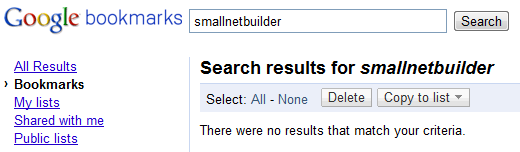
Chrome bookmarks have a web interface, but it's likely that the obvious will happen: Chrome bookmarks could be saved to Google Bookmarks. Jérôme Flipo noticed that the Google Bookmarks OneBox already includes Chrome bookmarks. I've tried to find SmallNetBuilder.com and Google's OneBox returned it even if it was starred in Chrome, not in Google Bookmarks.


Thursday, March 24, 2011

Google Video Previews

Google's instant previews for video sites weren't very useful because most video sites use Flash and the software that generates thumbnails can't handle Flash. That's probably one of the reasons why Google replaced the standard screenshots with short clips from the videos. By default, the sound is muted, but you can change this setting. The feature is also available at Google Video next to some search results.

"When it comes to videos, people want to spend less time searching and more time watching. That's why we added an enhancement to Instant Previews—the ability to preview videos. Click once on the magnifying glass next to the title of any video search result in universal or video mode. For some videos, you'll now be able to play through a set of four short segments from the video to see if it’s what you’re looking for (video providers have to opt to make the previews available, so you won't find it for every video yet)," explains Google.


Even if Google announced this feature a couple of weeks ago, it's still spotty, so it may not be available for you. You can also try Bing's Video Search, which offers a similar feature that probably inspired Google.

Yahoo Search Direct

Yahoo has recently launched a new feature called Yahoo Search Direct that aims to find answers for simple questions. "Search Direct is the first fundamental shift in search in more than a decade. For the first time, driving users to a results page filled with an overwhelming number of links is not the end game. We believe Search Direct will be the simplest and fastest way to find answers, not links," suggests Yahoo.

Yahoo Search Direct doesn't show new information, but it highlights the top results and the instant answers, while displaying them as you type a query. It's a simplified version of Google Instant that only focuses on the navigational queries and the queries that request simple facts.

When I tried Yahoo Search Direct, I noticed at least two features that aren't Googley. Yahoo shows a list of "trending searches" when you click on the search box and even highlights the first suggestion. This is both distracting and confusing for the average user that expects relevant suggestions.


Another feature that's not very helpful is promoting your own services, instead of showing unbiased suggestions. When you type "w", Yahoo shows only two suggestions that seem to be manually added: "Yahoo! Weather" and "Yahoo! Widgets". Type "m" and Yahoo shows 8 suggestions that are related to Yahoo.


Yahoo Search Direct works best for queries that already returned OneBox-like instant answers: [weather in london], [MSFT], [SF Giants] and the main advantage is that the answers are displayed faster. Google tried something similar with Google Suggest, but this feature is no longer necessary now that the results are displayed as you type.


Yahoo's tool doesn't even show previews for long-tail searches, so it can't replace Google Instant.


Yahoo promises that this is "the beginning of a new era in search", but this seems to be just an exaggeration. "We've been focused on refining how you use search, enabling awesome experiences for search intents about sports, news, TV, movies, local, finance, shopping, travel, weather, trending searches or pretty much anything else. But this is just the beginning. The coverage and rich content currently available in Search Direct is a fraction of the future state. Users can expect search coverage and the use of rich content to increase dramatically in the weeks, months, and years ahead. Get ready to be more social and personalized, through a richer and more interactive experience – it's going to be sweet."

You can try the beta version of Yahoo Search Direct at search.yahoo.com, but it will soon be available at yahoo.com.

{ Thanks, Niraj. }

Wednesday, March 16, 2011

Google's iPhone App, a Preview of the Mobile Search Interface

Google updated the search app for iPhone and unveiled a completely new interface that uses gestures for navigation. There are only two gestures, but they're so simple, powerful and intuitive that I'm sure they'll be used in other mobile Google interfaces.

"When browsing through search results or looking at a webpage, you can swipe down to see the search bar or change your settings. (...) We also included a new toolbar that will make it easier for you to filter your results. You can open this toolbar by swiping from left to right — either before you search or once you've got your results," explains Google.

The new gestures are easy to learn and they're more expressive than buttons. You can swipe down to see the search box even after clicking a search result.


Tuesday, March 15, 2011

No More Starred Results in Google Search

Last year, Google replaced SearchWiki with starred results. You only had to click on a star to bookmark a search result and to quickly find it later.

Unfortunately, this feature is no longer available and you have to find other ways to bookmark search results: bookmarklets, Google Toolbar and other extensions.

A Google employee confirmed this change. "The Star feature no longer exists on Google. The Star function continues to exist through google.com/bookmarks though. Anything you previously starred will show up when you visit bookmarks."


Starred results and SearchWiki were really useful for refinding web pages, but probably not many people used them. These features were a lot more useful than Instant Preview, which is still available.

{ Thanks, Joel. }

Friday, March 11, 2011

Block Sites from Google's Results

You no longer have to use Google's Chrome extension to hide the results from certain domains. The feature is now available at google.com and the best thing is that the list of blocked sites is saved to your Google Account.

To try this feature, make sure that you are using google.com in English. Click on a search result, then go back to the list of results. You'll notice that there's a new link next to the result you've just clicked: "block all [domain.tld] results".


If you block an entire domain, you'll no longer see results from that site. You'll only notice a small box at the bottom of the search results page which informs you that you've blocked certain results.

There's also a page that lets you manage your blacklist and manually block sites. "Sites will be blocked only for you, but Google may use everyone's blocking information to improve the ranking of search results overall. You may block up to 500 sites."


As Barry Schwarz points out, blocking sites is not a novelty: in 2005, Google tested a similar option. "If you're in this experiment, you'll have newfound powers. Click the 'Remove result' link and with one click you can drop that url from your search results. By default, it will only block that url for that particular search. If you're really annoyed, you can click 'More options' and you'll get two more choices: block this url from all future searches and the ability to block the entire host from all future searches," explained Matt Cutts at that time. The experiment wasn't successful, but Google partially resurrected this feature in SearchWiki: you could only hide a search result for a specific query.

I think that blocking an entire site from Google's results is a feature that's way too powerful for a regular user. Some might use it accidentally and find that Google's results are suddenly less relevant. Google could add a link for explicit feedback ("Not useful?") and use that information to personalize search results.

Thursday, March 10, 2011

Google's Word Count Experiment

Google tests a new feature that shows the approximate number of words next to certain search results. The word count is usually displayed for articles, but only for a small number of results. You'll probably think twice before clicking on a search result that has 50,000 words, unless you're looking for an in-depth report.


Maybe Google will also add an advanced search feature that lets you restrict the search results to short articles or long documents. A summarization feature would also be helpful.

Tuesday, March 8, 2011

Google Fast Flip for Mobile Web Search

Google calls it Instant Preview for Mobile Search, but it's actually a new interface based on Google Fast Flip that lets you preview search results. "Starting today, Google Instant Previews is available on mobile for Android (2.2+) and iOS (4.0+) devices across 38 languages. Similar to the desktop version of Instant Previews, you can visually compare search results from webpage snapshots, making it easier to choose the right result faster, especially when you have an idea of the content you'd like to see," explains Google.


Google replaced the stars that allowed you to bookmark results with the new zoom icons for Instant Preview. If you click on a zoom icon, you'll see a completely new interface that lets you preview one search result at a time. It's interesting to see that Google's screenshots show the mobile versions of the web pages.

Monday, March 7, 2011

Google's New Snippets for Twitter Pages

Google tests a new feature that replaces the snippets for Twitter account pages with the most recent message and a small thumbnail. For some reason, Google doesn't show the most recent tweet from Lady Gaga despite being sent three days ago.


With the advent of rich snippets, Plus Boxes and real-time information that enhances snippets, Google tries to show even more useful information to help you decide if a result is relevant and to quickly answer the most obvious questions.

{ via Tim Cohn. }

Saturday, February 26, 2011

New Google Profile Search

Google has a new specialized search engine for searching Google Profiles. It has a better interface than the regular Google Profiles search feature, it's integrated with Google Search and it shows additional links from people's profiles.

This feature is not yet enabled in the interface, but you can search Google Profiles by adding &tbs=prfl:1 to a Google Search URL. Here's an example.

Google could use the data from user profiles to provide advanced search features like restricting profiles to people who lived in Chicago, attended Long Island University and are interested in sports.


{ spotted by François Beaufort }

Thursday, February 24, 2011

Google Recipe Search

Google Japan started to offer a recipe search feature last year. Now this feature is available in the US and for everyone who uses Google without country redirects.

"Recipe View lets you narrow your search results to show only recipes, and helps you choose the right recipe amongst the search results by showing clearly marked ratings, ingredients and pictures. To get to Recipe View, click on the Recipes link in the left-hand panel when searching for a recipe. You can search for specific recipes like [chocolate chip cookies], or more open-ended topics—like [strawberry] to find recipes that feature strawberries, or even a holiday or event, like [cinco de mayo]," explains Google.

Google finds recipes by detecting the pages that use markup like microdata, RDFa, and microformats for recipes. You've probably noticed that Google shows rich snippets for some recipe pages and sometimes includes thumbnails, total cooking time, the number of calories and user ratings.


The same structured data can now be used for filtering search results. For example, you can select certain ingredients, add restrictions for cooking time and the number of calories.


Recipe Search is one of the most obscure specialized search engines offered by Google and it's quite surprising to see it in the vertical navigation menu next to Book Search, Blog Search or Image Search. Google could create similar search engines for event search, people search and reviews search.

Google's landing page offers more information about this feature and suggests to "select Recipes in the left-hand panel on the search results page". Unfortunately, the option is not yet available for everyone.